

Nano Banana vs Flux Kontext: Which AI Image Editor Actually Delivers in 2026?
Updated: 2026-01-09 10:30:56
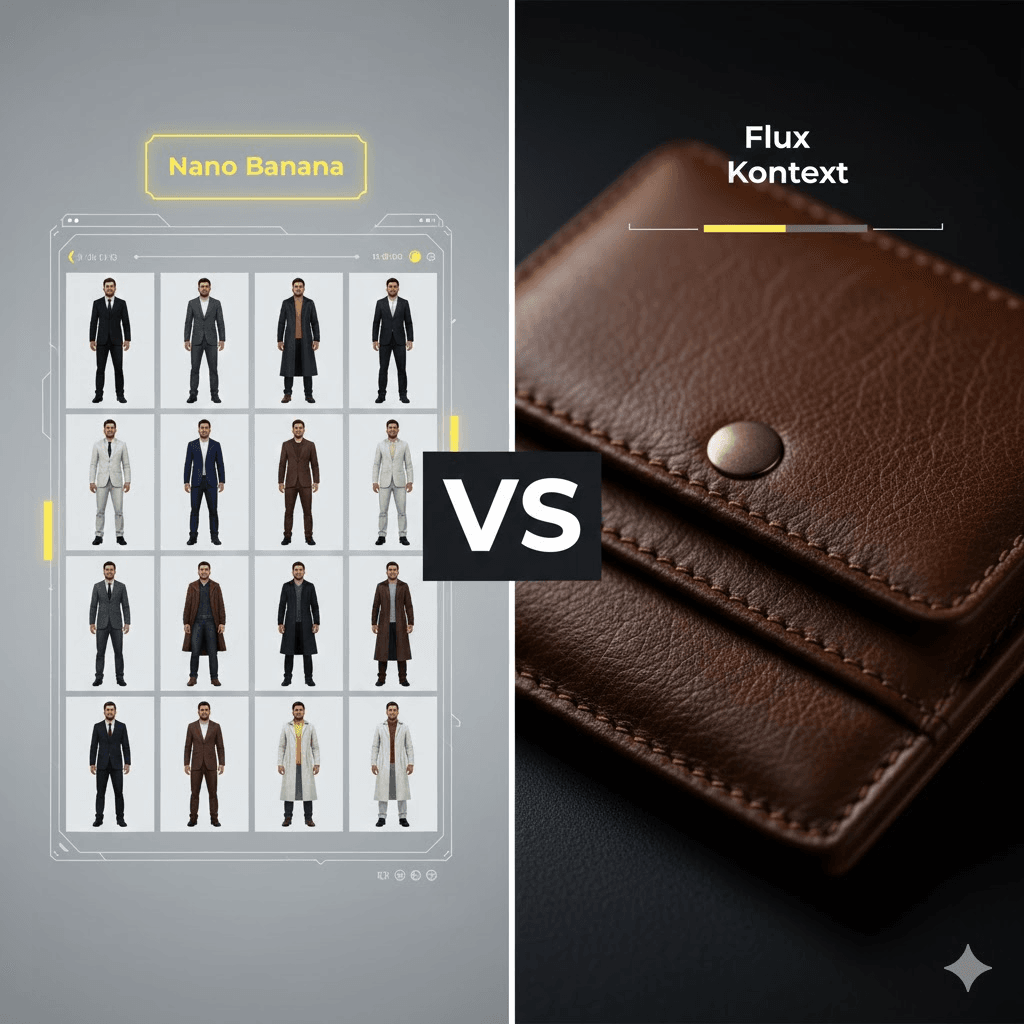
Most comparisons between Nano Banana and Flux Kontext start with the same empty conclusion: “They’re both good, it depends on your needs.”
That answer sounds reasonable but it doesn’t help you decide anything.
If you’re choosing tools for real work, you care about very concrete things: how fast you can finish a project, how predictable the results are, and whether the output is actually usable without hours of cleanup. That’s what this comparison focuses on.
Quick Take: My Testing Results
After running 50+ test prompts and using both tools in actual client work, here's the reality:
Nano Banana wins on:
- Speed (2~3 seconds vs 5~8 seconds)
- Character consistency across multiple images
- Ease of use (conversational prompts work great)
- Cost efficiency for high volume work
Flux Kontext wins on:
- Material realism (leather, metal, fabric textures)
- Fine detail preservation
- Professional product photography
- Precise editing control
Bottom line: Neither is universally "better." Your choice depends on what you're creating. Read on for specifics.
What Is Nano Banana? (The Fast Creative)
Nano Banana is Google's newest AI image editor, built on their Gemini 2.5 Flash Image model. The Pro version runs on Gemini 3 Pro.
It became famous overnight when it hit #1 on the LMArena leaderboard the site where AI models compete head to head based on user votes.
What Makes It Different
Natural language editing: You can literally type "change her dress to red and put her on a beach" and it just works. No complex syntax needed.
Character consistency: This is Nano Banana's killer feature. Upload a portrait, then create 50 variations with different outfits, backgrounds, and poses. The face stays recognizably the same person. I tested this extensively it's remarkably good.
Speed: Most edits complete in 2~5 seconds. When you're iterating on ideas, this matters more than you'd think.
2D to 3D conversion: One unexpected capability it can turn flat character art into realistic 3D figure renders. Perfect for concept artists or collectible designers.
Where You Can Use It
- Native in Google Gemini app (mobile and web)
- Adobe Photoshop Beta (as a partner model)
- Google Workspace (Slides, Vids, Docs)
- Via API through Google AI Studio
Pricing Reality
There's a free tier with limited daily quota in the Gemini app. For serious use, you'll pay per image via API credits roughly $0.01~0.05 per image depending on resolution.
Google AI Plus subscribers ($20/month) get higher quotas. Pro and Ultra subscribers get even more.
For comparison: generating 1000 social media images costs $10~50 total.
What Is Flux Kontext? (The Detail Master)
Flux Kontext comes from Black Forest Labs the team behind the original FLUX models. It's designed for context aware editing with photorealistic results.
Unlike tools that generate images from scratch, Flux Kontext specializes in editing existing photos with surgical precision.
What Makes It Different
Material rendering: Where Flux Kontext truly excels. Leather looks like leather you can see the grain texture, wear patterns, and how light hits it. Metal shows proper reflections. Fabric has realistic folds and weave patterns.
I shot a product photo of a leather bag, then asked both tools to change it to black leather. Nano Banana gave me a nice looking black bag. Flux Kontext gave me black leather with visible texture and realistic light reflection. The difference was obvious.
Context preservation: It understands spatial relationships. When you edit one element, everything else stays intact lighting, shadows, composition. This matters for professional work.
Iterative refinement: You can build changes step by step. Edit A, then B, then C and everything stays consistent throughout.
Three Versions Available
Flux Kontext Dev: Open source, free for non commercial use. You can fine tune it on your own data. Requires technical setup.
Flux Kontext Pro: Commercial license, pay per use via API. Integrated into Photoshop Beta.
Flux Kontext Max: Enterprise tier, $999/month for unlimited commercial use.
Pricing Reality
Dev version is free but requires $999/month commercial license if you're using it for client work or business.
Pro version costs roughly $0.10 0.20 per image via API.
Max is $999/month flat fee makes sense if you're generating 5,000+ images monthly.
For comparison: generating 1000 product photos costs $100 200 with Pro, or is included in Max subscription.
Head to Head Testing: What Actually Matters
I ran both through identical prompts across different use cases. Here's what happened.
Test 1: Character Consistency (20 Image Sequence)
Setup: Started with a portrait. Created 20 variations different outfits, backgrounds, poses, lighting.
Nano Banana:
- Facial features stayed 95%+ consistent
- Eye color, bone structure, freckles all maintained
- Minor drift only at extreme angles
- Time: 2 minutes total
Flux Kontext:
- Strong for first 5~8 images (85~90% consistency)
- Noticeable drift after 10+ iterations
- Some features started changing subtly
- Time: 6 minutes total
Winner: Nano Banana by a significant margin.
Real world impact: If you're creating an AI influencer or brand character, Nano Banana's consistency is unmatched. I wouldn't trust Flux for multi post character work.
Test 2: Product Photography (Leather Goods)
Setup: Product shot of brown leather bag. Asked both to change it to black leather, then to burgundy.
Nano Banana:
- Clean, attractive result
- Smooth, somewhat uniform surface
- Good color accuracy
- Looked "rendered" rather than photographed
- Time: 3 seconds per variation
Flux Kontext:
- Visible grain texture in leather
- Realistic wear patterns
- Proper light reflection and sheen
- Looked like a professional product photo
- Time: 7 seconds per variation
Winner: Flux Kontext decisively.
Real world impact: For e commerce, the detail quality directly affects conversion rates. The extra 4 seconds per image is worth it when customers can see texture and quality.
Test 3: Background Replacement (10 Different Scenes)
Setup: Portrait subject. Placed into beach, forest, studio, urban street, mountain testing lighting adaptation.
Nano Banana:
- Automatically adjusted skin tone for each environment
- Generated appropriate shadows
- Maintained atmospheric coherence
- Natural depth of field
- Occasional edge artifacts on complex backgrounds
Flux Kontext:
- High quality backgrounds
- Required more specific lighting instructions
- Sometimes needed 2~3 tries for lighting match
- Better for simple replacements than complex integration
Winner: Nano Banana for automatic lighting adaptation.
Real world impact: When you're creating content fast, Nano Banana's automatic environmental understanding saves significant time.
[VISUAL: Grid showing same subject in 5 different environments from both tools]
Test 4: Face Swap Precision
Setup: Swapped faces on 15 different body types and poses.
Nano Banana:
- Good facial consistency
- Sometimes shifted body position slightly
- Struggled with non standard aspect ratios (16:9, 3:4)
- Had to manually crop some results
Flux Kontext:
- Focused precisely on head region only
- Kept body position and clothing identical
- Maintained original composition perfectly
- Worked reliably across all aspect ratios
Winner: Flux Kontext for pure face replacement.
Practical difference: If you're doing face swaps specifically, Flux Kontext's precision means less cleanup work in post.
Test 5: Speed Under Pressure (50 Image Batch)
Task: Create 50 social media images with consistent character across different scenarios.
Nano Banana:
- Total time: 18 minutes
- Average: 21 seconds per image (including prompt writing)
- Character drift: Minimal across entire batch
- Usable without editing: 46/50 (92%)
Flux Kontext:
- Total time: 47 minutes
- Average: 56 seconds per image
- Character drift: Noticeable after image 20
- Usable without editing: 41/50 (82%)
Winner: Nano Banana by nearly 3x on speed.
Real world impact: For content creators doing daily posts, this is the difference between 20 minutes and an hour of work.
[VISUAL: Time comparison chart]
The Pricing Reality Check
Let me break down what you'll actually spend, based on different usage patterns.
Casual Creator (10~20 images/week)
Nano Banana:
- Free tier: Usually sufficient
- Paid: ~$5~10/month in API credits
- Best for: Social media, personal projects
Flux Kontext:
- Dev: Free (non commercial)
- Pro: ~$20~40/month
- Best for: Personal photography, portfolio work
Recommendation: Start with Nano Banana free tier. Upgrade if you hit limits.
Professional Creator (100~200 images/week)
Nano Banana:
- Google AI Plus: $20/month + ~$20~50 in credits
- Total: ~$40~70/month
- Best for: Social media managers, content agencies
Flux Kontext:
- Pro: ~$100~200/month in API credits
- Best for: Professional photographers, design studios
Recommendation: Nano Banana for volume work. Flux for quality critical projects.
Business/Agency (1000+ images/month)
Nano Banana:
- Ultra tier + credits: ~$150~300/month
- Best for: Marketing agencies, brands with consistent characters
Flux Kontext:
- Max: $999/month unlimited
- Best for: E commerce, product photography studios
Recommendation: Run the math. Flux Max makes sense above ~5,000 images/month.
Real Use Cases: What I Actually Use Each For
Social Media Content (Instagram, TikTok)
I use: Nano Banana
Why it works:
- Speed matters when you're creating 5~10 posts daily
- Character consistency across content series
- Quality is perfect for social media resolution
- Cost effective at volume
Example workflow:
- Create base character image
- Generate 20 variations with different outfits/backgrounds
- Total time: 15 minutes
- Cost: $1~2
E commerce Product Photos
I use: Flux Kontext Pro
Why it works:
- Material detail affects conversion rates
- Professional quality expected
- Precise control over lighting and composition
- Worth the extra cost per image
Example workflow:
- Shoot basic product photo
- Use Flux to create 5~10 background variations
- Refine lighting and details
- Total time: 45 minutes for 10 images
- Cost: $10~20
Client Presentations (Marketing Agency)
I use: Both
Why hybrid works:
- Nano Banana for rapid concepting (10 options in 5 minutes)
- Client selects favorites
- Flux Kontext for final polished versions
- Best quality to time ratio
Example workflow:
- Nano Banana: 15 concept variations (10 minutes)
- Client feedback and selection
- Flux Kontext: 3 final versions (20 minutes)
- Total time: 30 minutes vs 60+ with single tool
Brand Character Development
I use: Nano Banana
Why it's essential:
- Need 100+ consistent images for brand guidelines
- Multiple scenarios, outfits, expressions
- Flux would drift after 10~15 iterations
- Speed enables rapid testing
Example workflow:
- Create character design
- Generate 50 pose variations (20 minutes)
- Test in 20 different scenarios (15 minutes)
- Refine winning directions
- Total: One afternoon vs multiple days
[VISUAL: Decision tree diagram showing which tool for which use case]
Photoshop Integration: How They Actually Work
Both are available in Photoshop Beta as partner models. I use PS Beta daily here's the real experience.
Nano Banana in Photoshop
The Good:
- Very fast iteration
- Works well for quick mockups
- Natural language prompts feel intuitive
- Good for social content and web graphics
The Bad:
- Daily quota limits (frustrating mid project)
- Occasionally changes aspect ratios unexpectedly
- Quality sometimes inconsistent with complex selections
Best for: Rapid concepting, social content, lightweight edits
My workflow: I use it for initial ideation. When I have 5~10 directions, I switch to Flux for finals.
Flux Kontext Pro in Photoshop
The Good:
- Professional grade results consistently
- Better layer preservation
- More predictable output
- Precise region editing with selections
The Bad:
- Slower (matters when iterating)
- Requires more thoughtful prompting
- Sometimes needs 2~3 attempts for complex edits
Best for: Final deliverables, complex compositions, client work
My workflow: I use it for any output that will be seen by clients or customers.
Pro Tip: Combined Workflow Script
Rob de Winter created a Photoshop script that uses both models in sequence. You can:
- Rough concept with Nano Banana (fast)
- Refine with Flux Kontext (quality)
- All without leaving Photoshop
Available on his YouTube channel. Costs about $10 plus API access.
Common Mistakes I Made (So You Don't Have To)
Mistake #1: Using Nano Banana for Product Detail
Early on, I used Nano Banana for a client's e commerce photos. The results looked good on screen but lacked the detail customers expect for $200+ products.
Lesson: Match the tool to output quality requirements. Social media? Nano Banana is perfect. Product pages where detail matters? Use Flux.
Mistake #2: Expecting Flux to Maintain Characters Long Term
I tried using Flux for a 30 image character sequence. By image 15, the face had noticeably changed.
Lesson: For character consistency beyond 10~15 images, Nano Banana is the only reliable choice.
Mistake #3: Not Being Specific Enough with Flux
Nano Banana handles vague prompts well. Flux doesn't. I learned to be extremely specific.
Bad prompt: "Change the jacket" Good prompt: "Replace jacket with navy blue leather bomber jacket, silver zippers, worn finish, maintain existing lighting"
Lesson: Flux rewards detailed prompts. Spend 30 extra seconds writing a clear prompt saves 5 minutes of iteration.
Mistake #4: Ignoring Daily Quotas
Hit Nano Banana's daily limit mid project at 11pm before a deadline. Not fun.
Lesson: Check quotas at project start. For big jobs, upgrade your tier or have API credits ready.
Mistake #5: Not Testing Both for New Projects
I got comfortable with one tool and used it for everything. Wrong approach.
Lesson: First time doing a new type of project? Test both. The "wrong" tool costs you time and money later.
[VISUAL: Side by side comparison of common mistake outputs]
Advanced Tips from Real Usage
Getting Better Results from Nano Banana
Tip 1: Use reference images Upload 1~2 reference images showing the style you want. Results improve dramatically.
Tip 2: Be specific about lighting Add "maintain original lighting" or "natural outdoor lighting" to prompts. Otherwise it defaults to soft studio lighting.
Tip 3: Batch similar requests Process all background changes together, then all outfit changes. Maintains better consistency.
Tip 4: Leverage the Pro model strategically Use standard Nano Banana for iterations. When you have the right concept, generate final with Pro for 4K quality.
Example prompt structure: "Change [subject] to [specific details], [style/mood], maintain [what to preserve]"
Real example: "Change woman's outfit to burgundy evening gown with lace details, elegant style, maintain original lighting and facial features exactly"
Getting Better Results from Flux Kontext
Tip 1: Build changes sequentially Don't ask for 5 changes at once. Edit background, then lighting, then subject. Better results.
Tip 2: Specify materials explicitly "Leather" is vague. "Distressed brown leather with visible grain and natural wear" gives you what you see in your head.
Tip 3: Use Photoshop selections Select the exact region to edit. Flux respects selections perfectly. Saves iteration time.
Tip 4: Fine tune Dev for recurring needs If you have a specific style you use repeatedly, fine tune Flux Dev. The quality improvement is worth the effort.
Example prompt structure: "[Precise action] [exact specifications], [material/texture details], [lighting instructions], preserve [what stays unchanged]"
Real example: "Replace dress with emerald green silk evening gown, flowing fabric with soft sheen, under existing warm studio lighting setup, preserve pose, face, and background exactly as is"
What About the Alternatives?
Nano Banana vs Qwen Image Edit
Qwen's advantage: Better at editing text within images. More precise instruction following.
When I use Qwen: Infographics, diagrams, anything with text elements.
When I use Nano Banana: Character work, creative editing, speed critical projects.
Flux Kontext vs SeedEdit 3.0
SeedEdit's advantage: Better content preservation. More predictable results.
When I use SeedEdit: When I need to make minimal changes without affecting anything else.
When I use Flux: When I want quality transformation, not just preservation.
The reality? I have API access to all of them. Different tools for different jobs.
The Tough Questions
"Can these replace Photoshop?"
No. They're powerful AI editing tools, but they work best alongside traditional software.
I use them to generate variations and concepts quickly, then refine in Photoshop. That's the professional workflow.
"Which one for AI influencers?"
Nano Banana, without question. Character consistency is non negotiable for influencer accounts. I've seen accounts lose followers because the "person" looks different in each post.
"Do I really need both?"
Depends on your volume and variety of work.
You need both if:
- You do both volume content AND quality critical work
- You're an agency with diverse clients
- You have budget for $100 200/month in tools
You only need one if:
- Your work falls clearly into one category
- You're just starting out
- Budget is tight (start with Nano Banana)
"What about copyright?"
Both tools include provenance measures:
- Nano Banana: SynthID watermarking (invisible + visible options)
- Flux Kontext: Model dependent safeguards
Commercial usage rights depend on your subscription level. Read the ToS carefully.
"Which is more 'future proof'?"
Nano Banana's momentum: Rapid Google integration, monthly updates, becoming default for casual creators.
Flux's position: Professional standard for quality work, strong open source community, enterprise adoption.
My bet: Both will be around. They serve different markets.
Decision Framework: Choose Your Path
Still not sure which to pick? Answer these questions:
Question 1: What's your primary output?
- Social media content → Nano Banana
- Product photography → Flux Kontext
- Marketing materials → Both (hybrid)
- Personal/creative projects → Nano Banana (easier start)
Question 2: How much volume?
- 1~20 images/week → Either (start with Nano Banana free tier)
- 20~100 images/week → Nano Banana (cost effective)
- 100~500 images/week → Nano Banana + Flux for key images
- 500+ images/week → Flux Max (unlimited) or stick with Nano Banana
Question 3: What matters more speed or quality?
- Speed → Nano Banana (3x faster)
- Quality → Flux Kontext (better materials/detail)
- Both → Hybrid workflow
Question 4: What's your technical level?
- Beginner → Nano Banana (conversational interface)
- Intermediate → Either works
- Advanced/Developer → Flux Dev (fine tuning capability)
Question 5: What's your budget?
- Under $50/month → Nano Banana
- $50~200/month → Either, based on needs
- $200~500/month → Probably both
- $500+/month → Flux Max + Nano Banana for ideation
My Personal Setup
Since people ask: here's what I actually pay for and use.
Primary: Nano Banana (Google AI Plus subscription + API credits)
- Use for: Social content, client concepting, character work
- Cost: ~$60/month average
Secondary: Flux Kontext Pro (pay per use)
- Use for: Final client deliverables, product photography, hero images
- Cost: ~$80/month average
Occasional: Qwen, SeedEdit (API credits)
- Use for: Specific needs (text editing, minimal changes)
- Cost: ~$10/month
Total: ~$150/month for someone doing this professionally full time.
Worth it? Absolutely. These tools save me 10~15 hours per week minimum.
What's Coming Next
Both tools are evolving fast. Here's what I'm watching:
Nano Banana Pro (Just Launched):
- Up to 4K resolution
- Better text rendering in 50+ languages
- Enhanced world knowledge
- Available in Google Workspace, NotebookLM, Ads
Flux Updates (Expected Q1 2026):
- Better iterative consistency
- Enhanced Dev fine tuning
- Video support (rumored)
Market Trends:
- More integration into existing tools
- Better API pricing as competition increases
- Specialized models for specific industries
The tool you choose today will keep getting better. That's the nice part about AI constant improvement.
Final Verdict
After three weeks of testing and several months of real world use:
There is no universal winner. Anyone who tells you otherwise is oversimplifying.
Nano Banana is the right choice if:
- You create high volume content
- Speed and iteration matter more than maximum quality
- You need consistent characters across many images
- You want an easy learning curve
- Budget is a primary concern
Flux Kontext is the right choice if:
- Quality and detail are critical (e commerce, print, premium content)
- You have technical skills and want precise control
- You're fine spending more for better results
- You need professional grade material rendering
- You want to fine tune for specific styles
The hybrid approach makes sense if:
- You do diverse work (both volume and quality projects)
- You have budget for ~$100~200/month in tools
- You want maximum flexibility
- You're running an agency or doing client work
Start Here
If you're trying Nano Banana first:
- Sign up for Google Gemini (free)
- Select "Create images" tool
- Try this prompt: "Create a portrait of a person in business casual attire, professional setting, natural lighting"
- Then: "Change outfit to red dress, place in outdoor garden setting"
- Notice how the face stays consistent
If you're trying Flux Kontext first:
- Sign up for Photoshop Beta (Creative Cloud)
- Look for Flux Kontext Pro in partner models
- Upload a simple portrait
- Try: "Change background to professional studio with grey backdrop, soft lighting"
- Notice the lighting detail and material quality
Test both. Make your own decision based on your actual needs.
Additional Resources
Official Documentation:
- Nano Banana in Google Gemini
- Flux.1 Models
My ask: If you found this helpful, test the tools yourself. Every workflow is different. What works for me might not work for you but now you have a starting point.
Questions? I'm around. Good luck.