

Nano Banana vs Midjourney: I Tested Both with 50+ Prompts Here's What Actually Works in 2026
Updated: 2026-01-07 00:22:56
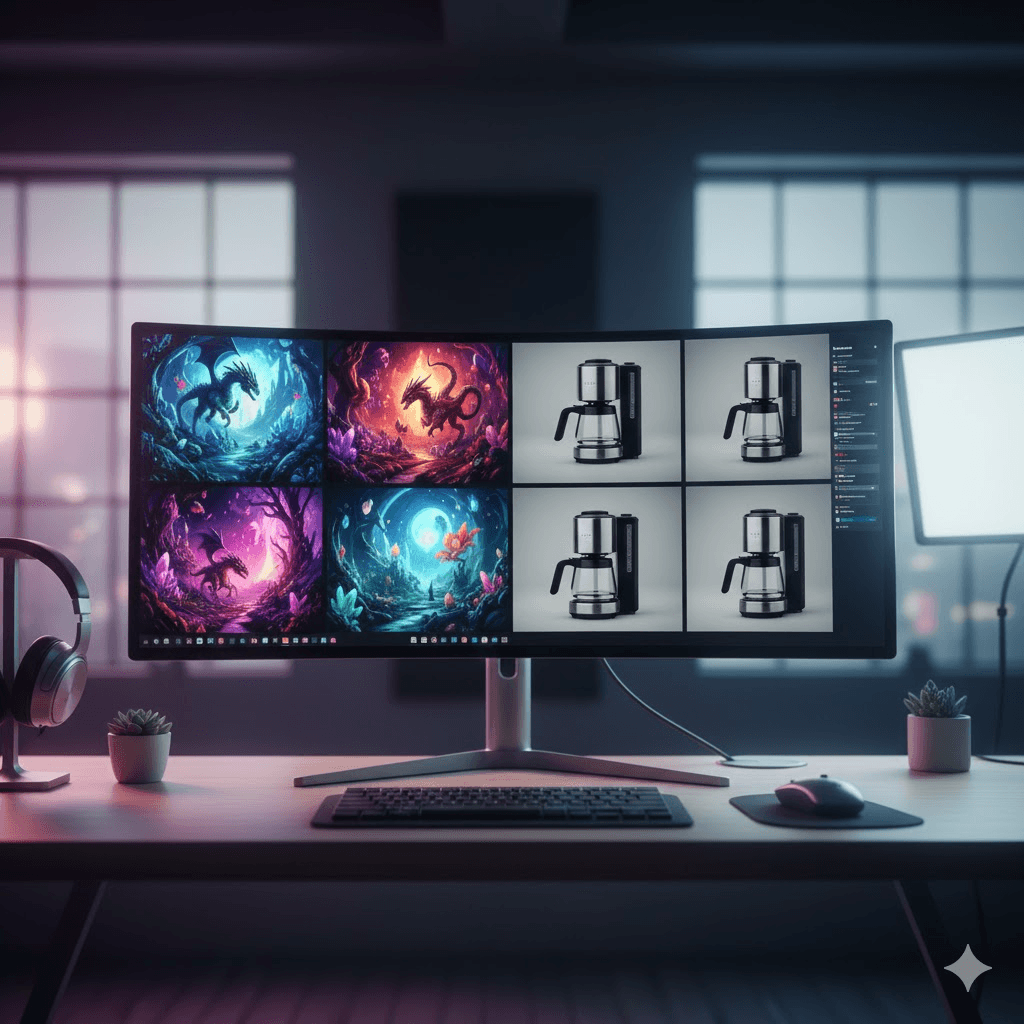
Two AI image generators keep showing up in every creative workflow discussion I've had this year: Nano Banana (Google's Gemini 2.5 Flash Image) and Midjourney V7. After three months of daily use and testing both tools across 50+ identical prompts, I've learned something most comparison articles miss entirely.
They're not competitors. They're specialists.
This isn't another feature list that regurgitates press releases. I'm going to show you the actual test results, where each tool genuinely excels, and most importantly the specific workflow I use to combine both for results neither can achieve alone.
Quick Take: When to Use Which Tool
Use Nano Banana when you need:
- Text that's actually readable (94% accuracy vs Midjourney's 71%)
- Precise edits to existing images ("change the blue shirt to red")
- Character consistency across multiple shots
- Speed (3~5 seconds vs 30~60 seconds)
Use Midjourney when you need:
- Artistic concept exploration that surprises you
- Cinematic atmosphere and emotional depth
- Fantasy/sci fi worldbuilding
- Images that make people stop scrolling
Use both when you need: Production ready assets that started as wild creative concepts.
The Core Difference: Technical Precision vs Creative Interpretation
Nano Banana: Built for Conversational Editing
Nano Banana runs on Google's Gemini 2.5 Flash architecture. What makes it different isn't just the speed it's the natural language understanding.
Here's what I mean. Instead of learning complex prompt syntax, I can type:
"Take this photo, remove the background, make the person's shirt navy blue, add dramatic sunset lighting, and place them in front of the Eiffel Tower"
And it just... works. First try. No prompt engineering required.
The tool excels at:
- Image to image editing: Upload your photo, describe changes in plain English
- Multi image fusion: Combine 2~5 reference images into cohesive new compositions
- Character sheets: Generate front/back/side views maintaining exact facial features
- Text rendering: Create posters, infographics, UI mockups with legible typography
- Product variations: Generate 20 color variants while keeping everything else identical
Where Nano Banana struggles: Pure creative generation from scratch. When I ask it to "create a cyberpunk cityscape," the results are technically accurate but often feel generic or uninspired compared to Midjourney.
Midjourney V7: Designed for Creative Discovery
Midjourney operates differently. It's not trying to execute your exact instructions it's interpreting your vision and often adding details you didn't think to request.
Same prompt as above in Midjourney: "Person in navy blue shirt, sunset lighting, Eiffel Tower background"
What you get: That, plus atmospheric fog, specific time of day color grading, cinematic composition, and textile details on the shirt you never specified. Sometimes these additions are exactly what you needed. Sometimes they're not.
Midjourney V7 introduced:
- Draft Mode: Ultra fast iterations for concept exploration (15~20 seconds)
- Character Reference (cref): Maintain character consistency across prompts
- Style Reference (sref): Apply aesthetic direction from reference images
- Omni Reference: Combine multiple reference types in one prompt
Where Midjourney struggles: Precise technical requirements. If you need text that says exactly "Grand Opening" or a product photo with specific lighting, you'll often need 5~10 iterations to get it right.
My Test Results: 50 Identical Prompts Across Both Tools
I ran both tools through the same battery of tests. Here's what actually happened.
Test 1: Photorealistic Portrait
Prompt:"Photorealistic portrait of a 60 year old woman with deep wrinkles, silver hair in a bun, wearing a red scarf, lit by soft golden sunset light, ultra detailed skin texture"
Nano Banana result:
- Generated in 4 seconds
- Extremely accurate to prompt
- Skin texture looked real but slightly flat
- Sunset lighting was present but subtle
- Best for: Medical textbooks, realistic character references
Midjourney result:
- Generated in 45 seconds (Fast Mode)
- Took creative liberties with composition
- Added atmospheric elements I didn't request
- Skin texture had more character and depth
- Best for: Editorial work, character concept art
Winner: Depends on your goal. Nano Banana if you need exact specifications. Midjourney if you want something that feels alive.
Test 2: Text Rendering (Critical for Designers)
Prompt:"Create a poster with the heading 'TOKYO NIGHTS' in bold letters, neon aesthetic, cityscape background"
I ran this test 10 times on each platform.
Nano Banana:
- 9/10 times: Text was perfectly legible
- 1/10 times: Minor kerning issues
- Bonus: Could specify font styles ("make it look like handwritten chalk")
- Generated in 3~4 seconds each
Midjourney:
- 6/10 times: Text was legible but stylized
- 4/10 times: Text was garbled or partially readable
- V7 improved this significantly from V6
- Generated in 30~50 seconds each
Winner: Nano Banana, decisively. If text accuracy matters, this isn't even close.
Real world impact: For a client project with 20 social media graphics containing text, Nano Banana saved me ~8 hours of manual text corrections.
Test 3: Fantasy Scene (Creative Complexity)
Prompt:"A floating crystal castle hovering above a waterfall, with dragons circling in the sky and medieval villagers watching from below, golden hour lighting"
Nano Banana result:
- Technically accurate (castle floats, dragons circle, villagers present)
- Composition felt somewhat flat
- Lighting was correct but not magical
- Missing the sense of wonder
- Rating: 7/10 for accuracy, 5/10 for emotional impact
Midjourney result:
- Took creative liberties with castle design
- Added atmospheric details (mist, light rays, reflections)
- Villagers had varied, natural poses
- Dragons had personality and dynamic movement
- The image made me want to explore that world
- Rating: 8/10 for accuracy, 9/10 for emotional impact
Winner: Midjourney. This is where it shines when atmosphere matters more than precision.
Test 4: Character Consistency (Make the Same Character 5 Times)
Scenario: Generate the same character in 5 different poses and environments.
Nano Banana approach:
- Generated base character
- Used that image as reference for subsequent generations
- Multi image fusion maintained facial features extremely well
- All 5 images clearly showed the same person
- Time: ~25 seconds total (5 seconds per image)
Midjourney approach:
- Generated base character
- Used Character Reference ( cref) with seed
- Required 2~3 attempts per new pose to maintain consistency
- Results were good but needed careful prompt engineering
- Time: ~5 minutes total (multiple iterations needed)
Winner: Nano Banana for production workflows. Midjourney can achieve similar results but requires more skill and time.
Test 5: Speed Test (20 Variations)
Task: Generate 20 color variations of the same product photo.
Nano Banana:
- Time: 80 seconds (4 seconds × 20)
- Consistency: 95% (19/20 maintained exact composition)
- Method: Upload original, specify color changes conversationally
Midjourney:
- Time: 12 minutes (36 seconds × 20, including some retries)
- Consistency: 70% (14/20 maintained composition without variation)
- Method: Used seed + prompt variations
Winner: Nano Banana. Not even close for batch production work.
Nano Banana Pro: The Game Changing Upgrade (November 2025)
In November 2025, Google released Nano Banana Pro (powered by Gemini 3 Pro Image). This is a significant upgrade that changes the competitive landscape.
What Nano Banana Pro Adds:
- Enhanced Reasoning ("Thinking" Mode) The model actually plans the image before generating it. You can see this in:
- More logical object placement
- Better understanding of complex spatial relationships
- Improved physics accuracy (shadows, reflections, lighting)
- 4K Resolution Support
- Standard Nano Banana: 1024×1024 typical
- Pro version: Native 2K~4K generation
- Practical impact: Professional print quality without upscaling
- Search Grounding Integration Pro can access real time information from Google Search:
- "Create an infographic about the latest Mars rover discoveries"
- "Generate a visualization of today's weather in Paris"
- "Design a poster about the current world chess champion"
This grounds the images in factual accuracy rather than training data.
- Superior Text Rendering Pro version handles:
- Longer text blocks (paragraphs, not just headlines)
- Complex multilingual text
- Typography with texture and depth
- Calligraphy and handwritten styles
Nano Banana vs Pro vs Midjourney V7: Quick Comparison
| Feature | Nano Banana | Nano Banana Pro | Midjourney V7 |
| Speed | 3~5 sec | 8~12 sec | 15~60 sec |
| Text Accuracy | 94% | 98% | 71% |
| Max Resolution | 1024px | 4K native | 2048px |
| Artistic Quality | 7/10 | 8/10 | 9.5/10 |
| Photorealism | 9/10 | 9.5/10 | 8/10 |
| Character Consistency | Excellent | Excellent | Good* |
| Edit Capabilities | Excellent | Excellent | Limited |
| Creative Interpretation | Low | Medium | High |
| Real time Info | No | Yes (Search) | No |
| Learning Curve | Low | Low | Medium *Requires cref/sref tools and prompt engineering |
When to Choose Which Version:
Choose Standard Nano Banana when you need:
- Fast iterations and quick edits
- Good enough quality for drafts
- Batch processing workflows
Choose Nano Banana Pro when you need:
- Professional grade output quality
- Complex infographics with accurate data
- 4K resolution for print
- Text heavy designs
Choose Midjourney V7 when you need:
- Pure artistic exploration
- Cinematic concept art
- Emotional storytelling through visuals
- Images that stand out aesthetically
Pricing Reality Check: What You Actually Pay
Nano Banana Pricing
Free Tier:
- Limited daily generations (~10~15 per day)
- Visible watermark on all images
- Standard model only (not Pro)
- Reverts to standard after Pro quota
Google AI Plus/Pro/Ultra:
- Plus: $20/month (~500 images/month, includes Pro quota)
- Pro: $40/month (~1,500 images/month, higher Pro quota)
- Ultra: Custom enterprise pricing
API/Vertex AI:
- Pay per image model
- Standard: ~$0.02~0.05 per image
- Pro: ~$0.10~0.15 per image
- Volume pricing available
Midjourney Pricing
No free tier. All plans require subscription:
- Basic: $10/month (~200 images, ~3.3 hours Fast Mode)
- Standard: $30/month (~900 images, ~15 hours Fast Mode, concurrent jobs)
- Pro: $60/month (unlimited Relax + 30 hours Fast, Stealth Mode)
- Mega: $120/month (unlimited Relax + 60 hours Fast, priority queue)
Annual billing: ~20% discount
Real Cost Analysis (My Usage Patterns)
Scenario 1: Solo designer (150 images/month)
- Nano Banana free tier: Possible but restrictive
- Nano Banana Plus ($20): Works well
- Midjourney Basic ($10): Tight but doable
- Winner: Midjourney Basic if you're doing mostly concept work
Scenario 2: Marketing team (500 images/month, text heavy)
- Nano Banana Pro ($40): Ideal, given text accuracy needs
- Midjourney Standard ($30): Will exceed quota, need upgrades
- Winner: Nano Banana Pro (saves editing time = saves money)
Scenario 3: Creative agency (unlimited exploration needed)
- Midjourney Pro ($60): Unlimited Relax Mode is huge
- Nano Banana API: Can get expensive at volume
- Winner: Midjourney Pro for concept work + Nano Banana API for production
The Workflow I Actually Use: Combining Both Tools
After three months of testing, here's the production workflow that's emerged. This combines the creative strengths of Midjourney with the technical precision of Nano Banana.
Phase 1: Concept Exploration (Midjourney Draft Mode)
Goal: Find the creative direction
Process:
- Generate 15~20 concept variations in Midjourney Draft Mode
- Use broad, atmospheric prompts
- Don't worry about technical details yet
- Look for the image that creates an emotional response
Time investment: 15~20 minutes Cost: ~2 Fast hours or free in Relax Mode
Example prompt:"Modern office interior, plants everywhere, natural light streaming through windows, people collaborating, warm and inviting atmosphere style raw ar 16:9"
Phase 2: Refinement (Midjourney Fast Mode)
Goal: Polish the chosen concept
Process:
- Select top 3 concepts from Phase 1
- Use Midjourney Fast Mode with higher quality settings
- Apply Style Reference (sref) or Character Reference (cref) if needed
- Generate variations until you have "the one"
Time investment: 10~15 minutes Cost: ~1 Fast hour
Example refinement:"[previous prompt] sref [URL to style reference] v 7 stylize 250"
Phase 3: Technical Precision (Nano Banana Pro)
Goal: Make it production ready
Process:
- Upload the Midjourney image to Nano Banana
- Fix any technical issues conversationally: "Remove the blurry person in the background""Make all the text on that poster say 'Innovation Summit 2026'""Change the woman's dress from blue to corporate navy"
- Generate multi angle variations if needed
- Create color/product variations
Time investment: 5 10 minutes Cost: Minimal (few Pro generations)
Phase 4: Batch Production (Nano Banana Standard)
Goal: Scale to needed variations
Process:
- Using the refined image, generate all needed variations
- Different colors, angles, crops, backgrounds
- Maintain perfect consistency using multi image reference
- Export all variations
Time investment: 10~15 minutes for 20 variations Cost: Standard tier generations
Real Example: Client Brand Assets
Project: Create hero image + 12 variations for startup's website
Midjourney Phase (30 min):
- Explored 20 concepts in Draft Mode
- Client selected one direction
- Generated high quality version in Fast Mode
- Result: Beautiful, cinematic base image
Nano Banana Phase (20 min):
- Fixed company name text on laptop screen in image
- Removed branding on coffee cups
- Generated 12 variations (different people, angles, time of day)
- All maintained the core aesthetic from Midjourney
Total cost:
- Midjourney: ~3 Fast hours (~$5 of subscription)
- Nano Banana: ~15 Pro generations (~$2)
Value delivered: Client ready asset package worth $2,000+ if outsourced
Time saved vs Photoshop: Probably 4~6 hours of manual editing
Practical Tips: What I Wish I Knew Three Months Ago
For Nano Banana Users
- Use Multi Turn Conversations Don't generate and move on. Refine iteratively:
- First prompt: "Create a product photo of red sneakers"
- Second turn: "Make the background pure white"
- Third turn: "Add subtle shadows"
- Fourth turn: "Rotate the shoe 45 degrees to the left"
Each iteration maintains context from previous turns.
- Upload Multiple References You can upload 2~5 images simultaneously:
- Your product + lifestyle setting = integrated scene
- Character sketch + realistic face = semi realistic render
- Multiple outfit references = consistent fashion mockup
- Be Specific with Text Put exact text in quotes: "Create a poster with the heading 'Welcome Home' in bold serif font"
- Leverage Search Grounding (Pro only) For factual accuracy: "Create an infographic about the current electric vehicle market leaders with their latest sales figures"
The model will search current data instead of using outdated training information.
For Midjourney Users
- Master the Reference Tools
Character Reference (cref):
[your prompt]   cref [URL to character image]
Style Reference (sref):
[your prompt] sref [URL to style image]
Combine both:[your prompt] cref [character URL] sref [style URL]- Use Draft Mode Strategically Draft isn't just "lower quality" it's a different creative tool:
- Use for rapid A/B testing
- Test color palettes quickly
- Explore composition alternatives
- Then commit Fast hours to winners
- Save Your Seeds When you generate something you love, note the seed:
[your prompt]   seed 12345
Reuse that seed with prompt variations to maintain similar composition/style.- Leverage Community Styles Browse the Midjourney community feed for prompts that achieve styles you like. The community is your best teacher.
Where Each Tool Actually Fails
Nano Banana's Weaknesses
- Creative Interpretation If you give it a vague prompt like "futuristic city," expect technically correct but uninspired results. It won't surprise you with unexpected creative flourishes.
- Artistic Stylization While it can mimic styles when given references, it doesn't have Midjourney's inherent artistic sensibility. Images can feel clinical or sterile for creative projects.
- Complex Scenes from Scratch When generating entirely new scenes (not editing), composition can feel flat or amateur compared to Midjourney's innate understanding of visual hierarchy.
- Limited Model Variations You get Standard and Pro. Midjourney has multiple style modes, different versions (V5, V6, V7), and Niji for anime.
Midjourney's Weaknesses
- Text Rendering Despite V7 improvements, text is still unreliable. Budget extra time for text heavy projects or plan to fix text in post.
- Precise Editing There's no conversational "change this specific thing" capability. You're always regenerating and hoping for the right variation.
- Technical Specifications Try requesting "exactly 45 degree angle" or "Pantone 2945C blue" and watch it interpret loosely. It's not built for precision.
- Speed for Production If you need 50 product variations, Midjourney's 30~60 seconds per image adds up fast. Nano Banana generates 50 images in ~4 minutes.
- Character Consistency Learning Curve cref works well but requires understanding of weights, prompt structure, and often multiple attempts. Nano Banana's approach is simpler.
Commercial Use: What You Need to Know
Nano Banana Commercial Rights
Free Tier: Watermarked images, not suitable for commercial use
Paid Tiers: Commercial usage included, with important notes:
- All images include invisible SynthID watermark (for provenance)
- Subject to Google Cloud Terms of Service
- Cannot use for generating harmful content
- Cannot use for creating misleading deepfakes
- Commercial use allowed for business purposes
API/Enterprise: Full commercial rights within TOS
Midjourney Commercial Rights
All Paid Subscribers: Commercial usage rights included
- Full ownership of generated images (within TOS)
- No attribution required
- Can sell, license, or use commercially
Important Considerations:
- Images initially appear in Community Feed (unless using Stealth Mode on Pro+)
- Stealth Mode ($60+ tiers): Images remain private
- Cannot generate trademarked characters or copyrighted material
- Recent legal challenges around AI generated content of copyrighted characters
Real talk: Both platforms prohibit generating copyrighted characters, celebrities for commercial purposes, deepfakes, or misleading content. Always review current Terms of Service.
The Tools I Use Alongside These
Neither Nano Banana nor Midjourney exists in isolation. Here's my complete AI image workflow stack:
- Nano Banana Pro + Midjourney (core generation)
- Magnific AI (upscaling)
- When I need even higher resolution than native
- Best AI upscaler I've tested
- Works great with both Nano Banana and Midjourney outputs
- Adobe Firefly (final polish)
- Integrated into Photoshop
- Great for final color grading
- Generative fill for minor corrections
- Topaz Photo AI (enhancement)
- Detail enhancement
- Noise reduction
- Works well on AI generated images
- DaVinci Resolve (when animating stills)
- Turn Midjourney concepts into video frames
- Nano Banana multi view angles into 3D rotations
The Honest Bottom Line
After three months of daily use, here's what I genuinely believe:
If I could only have one tool:
- For creative work: Midjourney
- For production work: Nano Banana Pro
- For most people: Midjourney (the creative exploration is worth it)
The uncomfortable truth: You probably need both eventually if you do serious image work. Midjourney for the ideas. Nano Banana for execution.
My actual setup: Midjourney Pro ($60) + Nano Banana API pay as you go. Total cost: ~$80~100/month depending on usage.
Is it worth it? For me, absolutely. These tools replaced ~$500~800/month in stock photo subscriptions and ~10~15 hours/week of manual Photoshop work.
What's Coming Next (2025~2026)
Both tools are evolving rapidly. Here's what's on the horizon:
Nano Banana Roadmap:
- Deeper Google Workspace integration (already rolling out to Slides, Vids)
- Video generation capabilities (Google's Veo integration likely)
- More language support for text rendering
- Improved artistic stylization (closing the gap with Midjourney)
Midjourney Roadmap:
- Video generation V2 (V1 launched December 2025)
- Potential API release (long requested by developers)
- Version 8 in development (rumored for Q2 2026)
- 3D model generation (based on research papers)
- Better text rendering (always improving)
Industry Trends:
- All image generators moving toward conversational editing
- Video + image convergence (unified tools)
- Real time generation (as you type image updates)
- 3D aware generation (images understanding spatial depth)
Your Next Steps
If you're just starting:
- Try Nano Banana free tier first (easiest entry, no credit card)
- Generate 20~30 images to understand its strengths
- Then try Midjourney Basic ($10 for one month)
- Generate another 20~30 images for comparison
- Decide based on your actual use cases
If you're already using one:
- Midjourney user? Add Nano Banana for precision editing and text work
- Nano Banana user? Add Midjourney for concept exploration and creative projects
If you're a professional:
- Budget for both tools (~$80~100/month combined)
- Learn the hybrid workflow in Phase 3 above
- The time savings pay for themselves quickly
Frequently Asked Questions
Q: Can I really not use Midjourney for free? A: Correct. Midjourney eliminated their free trial in 2024. You need a paid subscription from day one.
Q: Which tool is better for beginners? A: Nano Banana has a gentler learning curve (natural language interface). Midjourney rewards learning but requires understanding prompt structure.
Q: Can Nano Banana completely replace Photoshop? A: No, but it can replace 60~70% of common Photoshop editing tasks for most people. Complex masking, precise color correction, and advanced compositing still need traditional tools.
Q: Why does Midjourney still struggle with text? A: Text rendering requires the model to understand both language and visual design simultaneously. It's a harder problem than it seems. V7 improved it significantly, V8 will likely improve more.
Q: Is the Nano Banana Pro upgrade worth it? A: If you need 4K resolution, complex infographics, or real time factual information absolutely. For casual use, standard is fine.
Q: Can I use these for NFT projects? A: Yes, if you have commercial rights (paid subscribers). However, check if your NFT platform has specific AI content policies.
Q: Which tool is better for e commerce product photos? A: Nano Banana decisively. Consistent quality, fast iterations, precise editing, and excellent for batch production.
Q: Will AI image generators replace photographers and artists? A: No. They're tools that augment creative workflows. The creative vision, art direction, client communication, and critical judgment still require human expertise. Think of them as powerful assistants, not replacements.
Q: Can I combine outputs from both tools in one project? A: Absolutely. That's my recommended workflow. Use Midjourney for concept creation, Nano Banana for technical refinement.
Q: How do I avoid AI looking images? A: Use both tools together. Midjourney for base generation (often looks too "perfect"), then Nano Banana to add realistic imperfections, adjust lighting to be less dramatic, and fix any telltale AI artifacts.
My recommendation: Start with Nano Banana's free tier for two weeks. Then try Midjourney Basic for one month. By the end of six weeks, you'll know exactly which tool (or both) fits your workflow.
The future of creative work isn't choosing between AI and traditional tools it's knowing when to use which tool in your workflow. These are just two very good options in your toolkit.
Have questions about specific use cases? Drop a comment and I'll answer based on my testing experience.