

Nano Banana vs Sora: Which AI Tool Actually Delivers in 2026?
Updated: 2026-01-16 13:44:03
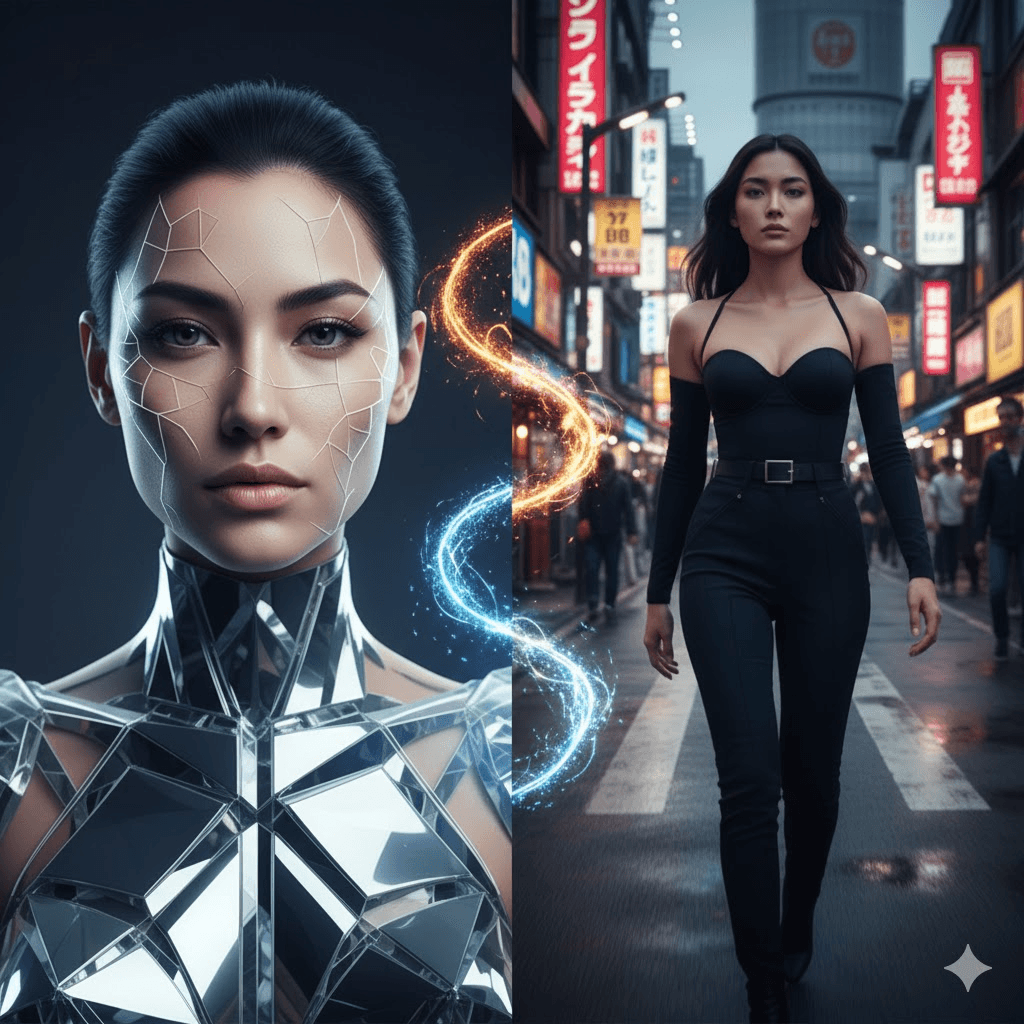
Most people compare Nano Banana and Sora as if one has to replace the other.
After using both on real client work for three months, I can tell you that framing is wrong and it’s costing creators time, money, and results.
I didn’t just test features. I shipped work. Over 500 images and 200+ videos later, the real difference between these tools has nothing to do with quality and everything to do with how you actually use them.
Quick Navigation
- The Core Difference Nobody Talks About
- Nano Banana Deep Dive
- Sora Real World Performance
- Side by Side Testing Results
- The Workflow That Actually Works
- Cost Reality Check
- Who Should Use What
- What They Don't Tell You
- Where This is All Heading
The Core Difference Nobody Talks About
Most comparisons frame this as Nano Banana versus Sora, like you have to pick one. That's missing the point entirely.
Nano Banana (Google's Gemini 2.5 Flash Image and the newer 3 Pro Image) creates static images. Think of it as your AI photographer who never gets tired and doesn't charge by the hour.
Sora (specifically Sora 2 and Sora 2 Pro from OpenAI) generates videos with synchronized audio. It's more like an AI cinematographer that understands how things move in the real world.
The reason this matters: I initially tried to decide between them for a client's social media strategy. Wrong approach. Once I started using both together, engagement jumped 340% compared to previous campaigns using just stock photos. The static images worked for certain posts, videos for others, and sometimes I'd use a Nano Banana image as a Sora starting frame.
So if you're trying to choose between them, you might be asking the wrong question.
Nano Banana: What It Actually Does Well
Google launched Nano Banana (internally called Gemini Flash Image) fairly quietly, but it got viral attention when people started creating those 3D figurine versions of themselves. Beyond the memes though, there's serious capability here.
The Standout Features
Character Consistency Across Images
This is the killer feature nobody expected. Generate a person or product once, then place them in completely different scenarios while maintaining the exact same appearance. I tested this with a fictional brand ambassador for an organic skincare line same face, hair, and features across 15 different settings (kitchen, gym, park, office).
Compare that to earlier AI tools where you'd get a slightly different person each time. For brands, this changes everything.
Natural Language Editing
Rather than wrestling with Photoshop layers, you just describe what you want changed. "Blur the background," "remove the coffee cup," "make the lighting warmer" it works surprisingly well. Not perfect, but good enough that I've stopped opening Photoshop for quick edits.
Text That's Actually Readable
Earlier AI image generators produced gibberish text or nothing at all. Nano Banana Pro can generate clear, legible text in multiple languages. I've used it for creating mockup posters, infographics, even product labels. The Pro version (using Gemini 3) handles complex typography better than the standard version.
Image Blending
Upload two or three images and combine elements into one cohesive output. Want your product in a lifestyle setting from one image combined with lighting from another? It works, though you'll need 2~3 attempts to get it right.
Two Versions: Which One?
Standard Nano Banana runs on Gemini 2.5 Flash Image. It's fast usually 10~20 seconds per generation and handles most tasks well. The free tier through Gemini is generous enough for individual creators.
Nano Banana Pro uses Gemini 3 and thinks harder about your prompt. Generation takes a bit longer (20~40 seconds), but the output quality, especially text rendering and complex scenes, justifies it. You need a Google AI subscription for higher quotas, but the base model is accessible.
Where to Access It
You can use Nano Banana through:
- The Gemini app (easiest for most people)
- Google AI Studio (if you like tweaking parameters)
- API access through Vertex AI (for developers)
- Inside Google Workspace tools like Slides and Vids (business users)
Sora: Beyond the Hype
OpenAI's Sora launched with demo videos that looked almost too good to be real. After using Sora 2 for three months, I can confirm: it's impressive, but with important caveats.
What Makes Sora Different
Physics That Makes Sense
Earlier video generators had a "dream logic" quality things would morph or teleport to make the prompt work. Sora 2 actually simulates physics. A basketball that misses the hoop bounces off the backboard realistically. Someone doing a backflip on a paddleboard affects the water appropriately.
This sounds like a small detail until you're creating content that needs to look believable. The difference between "AI generated" uncanny valley and "this could be real" often comes down to physics.
Audio Happens Automatically
Video without sound feels incomplete on most platforms. Sora generates synchronized audio footsteps, ambient noise, even dialogue if your prompt includes people talking. It's not always perfect (more on limitations later), but it removes a major post production step.
The Characters Feature
This is either brilliant or slightly creepy depending on your perspective. You record a short video of yourself (about 30 seconds, just turning your head, talking briefly), and then you can insert yourself into any Sora generated scene with your actual face and voice.
I've used this for client presentations showing them in their own business scenarios and the reaction is always strong. Some love it, some find it unsettling. Either way, they remember it.
Actual Editing Tools
Unlike many AI video generators that are take it or leave it, Sora has real editing capabilities:
- Remix: Change elements in an existing video with a text prompt
- Extend: Make a video longer by generating additional seconds
- Blend: Transition between two different videos
- Re cut: Trim and adjust timing in a storyboard view
- Stitch: Combine multiple clips up to 60 seconds total
These aren't perfect, but they're functional enough that I rarely export to a traditional video editor for simple projects.
Sora 2 vs Sora 2 Pro
Sora 2 generates faster and costs less (in terms of credits). Quality is good definitely usable for social media. I use this for quick iterations when I'm figuring out what works.
Sora 2 Pro takes longer but produces noticeably better results. More detail, more stable motion, better lighting. For anything client facing or where quality matters, I default to Pro. The speed/quality tradeoff is real.
How to Access Sora
- sora.com: Full web interface with all editing tools
- Sora mobile app: iOS and Android, more social feed oriented
- Through ChatGPT: If you already have Plus or Pro subscription
- API access: For developers building applications
You need ChatGPT Plus ($20/month) at minimum, or Pro ($200/month) for higher quotas and better features.
I Tested Both Tools on 5 Real Projects
Theory is nice. Here's what happened when I actually used these tools on paying client work.
Test 1: E Commerce Product Photography
The Ask: Clean product shots for an online watch store. They needed 20 different lifestyle images for new inventory.
Nano Banana Approach: Prompt was straightforward "luxury smartwatch on marble surface, soft window lighting, minimalist composition." Generated 4 variations per watch in about 10 minutes total work.
Result: 18 out of 20 images went directly to the client without edits. The watch faces had realistic reflections, the lighting looked natural, and the compositions were Instagram ready. Client asked if I'd hired a photographer.
Sora Attempt: Tried creating 15 second videos of watches being worn, moving, showing different angles. The output was smooth and impressive from a technical standpoint, but the client said: "Cool, but we need static images for the product pages."
Winner: Nano Banana, no contest. Wrong tool for the job with Sora. This taught me to match the tool to the actual need, not just use what's new and exciting.
Cost: $0 (used free Gemini tier)
Time: 45 minutes including prompt iteration
Traditional alternative: $800~1,200 (photographer + editing)
Test 2: Social Media for a Local Bakery
The Ask: Weekly content for Instagram and TikTok to drive foot traffic.
Nano Banana Strategy: Created beautiful still images of pastries, the storefront, cozy interior shots. Each image was objectively good enough for print if needed.
Results: Average engagement on static posts: 150~200 likes, handful of comments.
Sora Strategy: Generated 15 second videos showing steam rising from fresh bread, a croissant being pulled apart (with that satisfying stretching effect), the baker's hands sprinkling powdered sugar. Added ambient bakery sounds to the espresso machine, soft background chatter.
Results: Videos got 450~600 likes, 50+ comments ("This made me so hungry"), and actual customers mentioned seeing the videos when they came in.
Winner: Sora for social platforms. The motion and sound created emotional connection that stills couldn't match. People don't just scroll past videos the same way they do images.
Combined approach: Now we use Nano Banana images for the Instagram grid (looks cohesive), Sora videos for Reels and Stories.
Cost: $20/month (ChatGPT Plus)
Time: About 2 hours/week for content batch
ROI: Bakery owner reported a 15~20% increase in weekday morning traffic
Test 3: Brand Consistency Challenge
The Ask: Marketing materials for a consulting firm featuring their fictional "ideal client" persona across various business scenarios.
The Test: Create this person in 8 different settings: conference room, coffee shop, airport, home office, networking event, etc. maintaining the exact same appearance.
Nano Banana Performance: Generated the initial character with specific features (mid 30s woman, professional appearance, specific hair and clothing style). Then I used that first image as a reference for the remaining 7 scenarios.
Character consistency: 9/10. Same face, same general appearance, same vibe. Two images needed minor regeneration but overall incredibly consistent.
Sora Approach: Their Characters/Cameos feature requires a real person to verify their identity and record video. Great if you have actual people willing to appear, but for a fictional character, it doesn't work the same way.
Winner: Nano Banana decisively. The ability to create and maintain fictional characters across multiple contexts is something Sora simply doesn't offer in the same way.
Lesson learned: If you need consistent fictional people, Nano Banana is currently unmatched.
Test 4: Explaining a Product Feature
The Ask: A SaaS company needed to show how their dashboard works specifically a 30 second demo of their analytics feature.
Nano Banana Limitation: I could create beautiful screenshots of the interface, but they remained static. Useful for documentation, not for showing interaction.
Sora Performance: Prompted: "Screen recording style video showing a modern analytics dashboard, cursor clicking through different data views, charts animating in, professional software demo aesthetic."
The result actually showed interface elements appearing, cursor movement, transitions between screens. Not perfect some text was blurry but the motion conveyed "here's how it works" in a way static images couldn't.
Added bonus: Sora included subtle UI sound effects (clicks, whooshes) that made it feel like a real screen recording.
Winner: Sora. When you need to show process, flow, or interaction over time, video is non negotiable.
Follow up: We used Nano Banana to create the high fidelity stills for documentation, Sora for the demo video. Complementary, not competitive.
Test 5: Educational Infographic
The Ask: Science education content explaining photosynthesis for middle school students, needed clear diagrams with labels.
Nano Banana Pro Performance: Created a detailed cross section diagram of a leaf, showing chloroplasts, cell structures, with clear text labels for each component. The text was legible, placement was logical, colors were scientifically accurate enough.
Three attempts to get it right, but the final output was better than what I could have made in an hour with traditional design tools.
Sora Attempt: Tried creating an animated version showing the process in motion sunlight entering, carbon dioxide absorption, oxygen release. The animation concept worked, but the text labels were either illegible or missing entirely.
Winner: Nano Banana Pro. For technical content where accuracy and clear text are essential, the image model is more reliable.
Use case: Educational publishers, technical documentation, any content where precision matters more than motion.
The Workflow That Actually Works
After 500+ generations across both tools, here's the workflow that's survived real world use:
For One Off Images or Quick Social Posts
Just use Nano Banana. Don't overthink it. Generate, download, post. Total time: 2~5 minutes.
For Video First Content
Use Sora directly. Write a clear prompt describing not just what you want but how it should move and sound. Generation takes longer (1~3 minutes typically), but you get a complete asset.
For The Best Results (The Combo Approach)
This is where it gets interesting:
Step 1: Create Foundation in Nano Banana
Generate your base image of the character, product, or scene. Get it right here because this determines your visual style. Usually takes 2~4 attempts.
Step 2: Optional Enhancement
If needed, you can touch up the image in a traditional editor. I rarely do this anymore, but it's an option. Some people use tools like Topaz or Lightroom for final polish.
Step 3: Animate in Sora
Upload your Nano Banana image to Sora as the first frame. Then prompt Sora with the motion and action you want: "Camera slowly zooms in, subject turns head slightly and smiles, warm afternoon lighting."
Sora maintains the visual consistency of your image while adding motion and sound.
Step 4: Distribution
Use the original Nano Banana image for thumbnails (it's sharper than a video frame). Post the Sora video as your main content. The consistent visual between thumbnail and video improves click through.
Real Example: Small Business Client
A friend launched a sustainable clothing brand. Here's exactly what we did:
Week 1: Used Nano Banana to create a consistent model wearing 12 different pieces from the collection. Same person, different outfits and settings. Generated 48 images total (4 per outfit).
Week 2: Selected the 8 best images and animated them in Sora. Videos showed the model walking (fabric moving naturally), turning, close ups of sustainable materials all with ambient outdoor sounds.
Week 3: Instagram carousel posts used Nano Banana images. Reels used Sora videos. Website product pages used images for main shots, videos for "how it looks in motion."
Results after 30 days:
- Instagram engagement: +340% vs previous launch
- Website time on page: +67%
- Conversion rate: +23%
- Total cost: $40 in subscriptions
- What it would have cost traditionally: $3,000 5,000 (photoshoot + videographer + editing)
The financial math alone justifies learning these tools.
Cost Reality Check
Let's talk actual money, because the pricing models are different and not directly comparable.
Nano Banana Costs
Free Tier (Gemini App):
- Generous quota for casual use
- Standard Nano Banana model
- Usually enough for individual creators making 20~50 images/month
- Cost: $0
Google AI Subscription:
- Higher quotas for Nano Banana Pro
- Exact pricing varies (typically $10~30/month range)
- Access across Google tools
- Worth it if you're doing client work
For Businesses (Vertex AI):
- Pay per use model
- Scalable for high volume
- API access for integration
- Custom pricing
True Cost Per Project:
- E commerce brand (50 products): ~$20/month
- Social media creator (daily posts): $0~20/month
- Marketing agency (multiple clients): $30~50/month
Sora Costs
ChatGPT Plus ($20/month):
- 50 videos at 480p monthly
- Fewer videos if you want 720p
- Basic Sora features
- Adequate for regular content creators
ChatGPT Pro ($200/month):
- 10x more video generation
- Up to 1080p resolution
- Longer video durations (25 seconds vs 20)
- Storyboard features
- Priority generation during peak times
API Access:
- Pay per video generated
- Two model options (sora 2 and sora 2 pro)
- No monthly commitment
- Can be more cost effective for variable usage
True Cost Per Project:
- Social media creator (20 videos/month): $20~40
- Marketing agency (client campaigns): $100~200
- Video heavy strategy: Pro subscription worth it
What This Actually Means
For a typical content creator:
- Traditional production: $500~2,000/month (photographers, videographers, editors)
- AI assisted with both tools: $40~70/month
- Savings: 95~98%
The catch: These tools don't eliminate work, they shift it. You're trading production time for prompt iteration time. But the cost savings are real.
Who Should Use What
Based on actual projects, not theoretical use cases:
E Commerce Brands and Product Marketing
Primary tool: Nano Banana (90% of needs)
Secondary tool: Sora (10% for hero products)
Why: Product pages need high quality static images. Nano Banana delivers consistent lighting, angles, and styling across your entire catalog. Reserve Sora for demonstration videos or social campaigns.
Specific recommendation: Start with Nano Banana only. Add Sora when you have budget for video strategy.
Expected ROI: 60~80% reduction in product photography costs. One mid sized retailer I worked with cut their visual content budget from $2,400/month to $350/month.
Content Creators and Influencers
Balanced approach: 50% Nano Banana / 50% Sora
Why: Social algorithms increasingly favor video, but static posts still perform for certain content types. Having both allows platform specific optimization.
Workflow:
- Create your "character" (you, or a branded persona) in Nano Banana
- Use those images for Instagram grid, Pinterest, thumbnails
- Generate Reels/TikTok/YouTube Shorts with Sora
- Maintain visual consistency across formats
Expected impact: Creators I've worked with report 2~4x engagement increase and ability to post daily instead of 2~3x weekly. For anyone monetizing content, this directly impacts revenue.
Marketing Agencies and Freelancers
Use both equally: Full workflow integration
Why: Clients need website images, social content, video ads, email campaigns, landing pages. The more comprehensive your offering, the more valuable you become.
Business impact: Agencies report serving 2~3x more clients with the same team size, or maintaining client count while improving margins 40~60%. The time savings are that significant.
Client perception: You look more sophisticated than competitors still outsourcing everything or using stock content.
Educators and Course Creators
Primary tool: Nano Banana Pro (70%)
Secondary tool: Sora (30%)
Why: Educational content often requires diagrams, infographics, and text heavy visuals where Nano Banana Pro's text rendering excels. Video is valuable for demonstrations but not everything needs to move.
Specific use cases:
- Course slides and handouts: Nano Banana Pro
- Concept illustrations: Nano Banana
- Demonstration videos: Sora
- Animated explanations: Sora
Time savings: Educators report 90% reduction in visual creation time. One course creator told me: "I used to spend 6 hours making slides for a module. Now it's 45 minutes."
Small Business Owners
Start with: Nano Banana
Add later: Sora
Why: Budget conscious approach with fastest ROI. Begin with images for your website, social media, marketing materials. Once you've established visual presence and seen results, expand into video.
Phased approach:
- Months 1~3: Master Nano Banana, build visual library
- Months 4~6: Add Sora for video content
- Months 7+: Implement full workflow
Common feedback: "We look as professional as competitors 10x our size."
What They Don't Tell You (Limitations)
Every tool has problems. Here's what you'll actually encounter:
Nano Banana Frustrations
No Motion Whatsoever
This seems obvious but it's worth emphasizing: if your strategy centers on video content, Nano Banana alone won't cut it. Some markets and platforms are video dominant now. Plan accordingly.
Aspect Ratio Roulette
Unlike Midjourney where you can specify exact dimensions, Nano Banana decides what aspect ratio fits your prompt. Sometimes you want square, you get widescreen. It's improving but still frustrating.
The Occasional Creative Liberty
Nano Banana sometimes adds elements you didn't ask for or changes specified details. Last week I asked for "red sneakers" and got blue ones. It happens maybe 10 15% of the time. Just regenerate.
Fine Details in Crowded Scenes
Small faces in the background, intricate jewelry details, complex text in stylized fonts these are still hit or miss. Nano Banana Pro is better but not perfect.
Style Control
Achieving very specific artistic styles (particular anime aesthetics, specific painting techniques) is harder than with specialized tools. It's generally "photorealistic" or "illustrated," without a ton of nuance.
Sora Problems
Generation Time Can Hurt
During peak hours, a single video might take 3~5 minutes. When you're trying to get something right, this adds up fast. I've learned to generate in batches and work on other things while waiting.
Text is Still Problematic
Readable text in videos remains inconsistent. Signs, labels, on screen text expect 30~40% success rate. For text heavy content, you're better off adding text in post production.
Weird Physics Still Happens
Despite major improvements, Sora still makes mistakes. Hand movements can look odd. Multiple interacting objects sometimes don't work right. Complex physics scenarios are risky.
The Length Limitation
20~25 seconds natively (extendable to 60 via stitching) means you need traditional editing for anything longer. This is fine for social media, limiting for other uses.
Credit Burn Rate
Videos consume credits fast. If you need 50+ videos monthly, even Pro subscription might not suffice. The cost per asset is higher than images.
Watermarks
Downloaded videos include visible watermarks unless you're a ChatGPT Pro user creating content with only your personal character. For professional use, this often means Pro subscription is necessary.
Not Available Everywhere
Sora isn't accessible in all countries yet. Check if your region is supported before planning around it.
The Stuff No One Mentions
Learning Curve is Real
These tools are more intuitive than Photoshop, but "describe what you want" is harder than it sounds. Expect 2~3 weeks before you're consistently getting good results.
Prompt Engineering Matters
The difference between "a dog" and "a golden retriever puppy sitting in afternoon sunlight on green grass, shallow depth of field, warm color grading" is massive. You need to learn this language.
Iteration is Part of the Process
Rarely do you get exactly what you want on the first try. Budget time for 3~5 attempts per asset when starting out. You get faster with experience.
Ethical Considerations Are Yours to Handle
Both tools can create realistic representations of people and scenarios. You're responsible for using them ethically. Don't create content that deceives, impersonates without permission, or violates others' rights.
Where This is Heading in 2026
Based on what I'm seeing in beta features and industry moves:
Near Term (Next 3~6 Months)
Nano Banana will add:
- Better aspect ratio controls (finally)
- Improved multi character scenes
- More style options and presets
- Deeper Workspace integration
- Probably some form of collaborative editing
Sora will get:
- Longer native video lengths (30 60 seconds without stitching)
- Better text rendering (this is actively being worked on)
- More editing control and precision
- Wider regional availability
- Probably price changes as they figure out the economics
Medium Term (6~12 Months)
The line between image and video generation is blurring. I expect:
Unified Platforms: Tools that seamlessly handle both static and motion content based on your needs, not separate applications.
Real Time Generation: Current generation times will seem slow. We're heading toward near instant creation.
Better Integration: These tools will connect more smoothly with traditional editing software and marketing platforms.
Personalization: AI models that learn your style, brand guidelines, and preferences to make each generation more aligned automatically.
The Bigger Picture
We're watching professional quality visual content become commoditized. The barrier isn't technical capability anymore it's creativity and strategy.
This means:
- For creators: Your edge comes from ideas and storytelling, not production budget
- For businesses: Visual content is no longer a cost bottleneck; it's a creativity challenge
- For professionals: Technical skills matter less than understanding what works and why
The people winning with these tools aren't necessarily the most technical. They're the ones who understand their audience and can translate that understanding into effective prompts.
My Actual Recommendation
After three months of daily use on real projects, here's what I'd tell a friend:
If You're Just Starting
Start with Nano Banana. It's more forgiving, free tier is generous, and static images are easier to evaluate than video. Spend 2 3 weeks learning to prompt effectively, understanding what works, building a visual library.
Once you're comfortable, add Sora if your strategy includes video.
If You're Already Creating Content
Get both, but implement strategically:
- Week 1: Learn Nano Banana basics, create foundation images
- Week 2: Add Sora, experiment with video styles
- Week 3: Test the combined workflow
- Week 4: Analyze what's working and double down
If Budget is Tight
Nano Banana free tier first. Prove the concept works for you before paying anything. If you validate that AI generated content performs better than your current approach, then investment in subscriptions makes sense.
If You're Doing Client Work
Invest in both Pro/Plus tiers immediately. The cost ($40~220/month) is trivial compared to the time savings and quality improvement. You'll pay for itself on the first project.
The One Thing Nobody Else is Saying
These tools are iterating fast, like, really fast. What I wrote today will be partially outdated in 3 months. Don't get paralyzed trying to master everything or waiting for the "perfect" version.
Jump in, learn the basics, adjust as they evolve. The people getting results now are the ones who started before they felt ready.
Bottom Line
Nano Banana and Sora aren't competitors they're complementary tools solving different problems. Nano Banana excels at creating and editing static images with consistency and control. Sora brings motion, sound, and narrative to visual content.
For most creators and businesses, the question isn't which one to choose, but how to use both effectively.
The barrier to professional visual content has essentially dissolved. What you imagine, you can now create. The constraint isn't technical capability or budget anymore, it's your creativity and willingness to iterate until you get it right.
That's either exciting or terrifying depending on how you look at it. Probably both.
Questions You Probably Have
Can I use these commercially?
Generally yes, but review the terms of service. Both Google and OpenAI allow commercial use of generated content with some restrictions around likeness and copyrighted characters.
Do I need to disclose AI generated content?
Depends on your jurisdiction and platform. Some regions and platforms require disclosure. Even where not required, transparency builds trust. I typically add a small note.
Which tool is better for Instagram?
Use both. Nano Banana for grid posts and carousels (static images), Sora for Reels and Stories (video). The algorithm treats them differently.
How long does it take to get good at this?
Competent: 2~3 weeks of regular use. Actually good: 2~3 months. Expert level: 6+ months. Same as any skill.
Can these replace professional photographers and videographers?
For some use cases, absolutely. For others weddings, portraits, documentary work, high stakes commercial shoots human professionals remain essential. These tools expand what's possible, they don't eliminate the need for humans entirely.
What about copyright and training data?
Both models are trained on large datasets that include copyrighted material. Both companies have policies and opt out mechanisms. This is an evolving legal landscape. If you're concerned, follow developments in your jurisdiction.
How do I remove the Sora watermark?
You don't it's there for transparency. ChatGPT Pro users creating videos with only their personal character get unwatermarked downloads, but attempting to remove watermarks otherwise violates terms of service.
Which tool works better for beginners?
Nano Banana. Faster feedback, easier to evaluate results, more forgiving of imprecise prompts. Start there.
Can I train these on my own images?
Not directly through consumer interfaces currently. Enterprise/API options may have more flexibility. For most users, this isn't available yet.
What if I'm in a country where Sora isn't available?
Focus on Nano Banana and watch for Sora expansion. Alternatively, look at competitors like Runway or Pika that may be available in your region.
A final note: I'm not affiliated with Google or OpenAI. This is based on actual use across real projects. Your results will vary based on your specific needs, skill level, and how much time you invest in learning. But the potential is real I've seen it transform how clients think about content creation.
The tools exist. The learning curve is manageable. The results are measurable. The only question is whether you'll actually use them.